The short answer
AI clipping tools rank segments by a score for things like hook and flow, so a story that needs setup can lose to a weaker segment that stands alone. Riverside calls its Magic Clips "experimental" and Choppity says its AI "is not mind-reading". The chart further down lists the seven faults this causes and the fix for each one.
Picture a common complaint. You upload a two-hour episode to an AI clipping tool. It hands back thirty clips with scores next to them. The top one is a guest explaining a detail nobody will share. The story everyone talked about after the recording is not on the list. If your AI clips are not good, the AI video tool is usually doing what it was built to do. This article explains why that happens, using what the tools' own help pages say, and gives the fix for each kind of bad clip. Every source was read on 17 November 2026.
Why do AI clipping tools often choose poor clips?
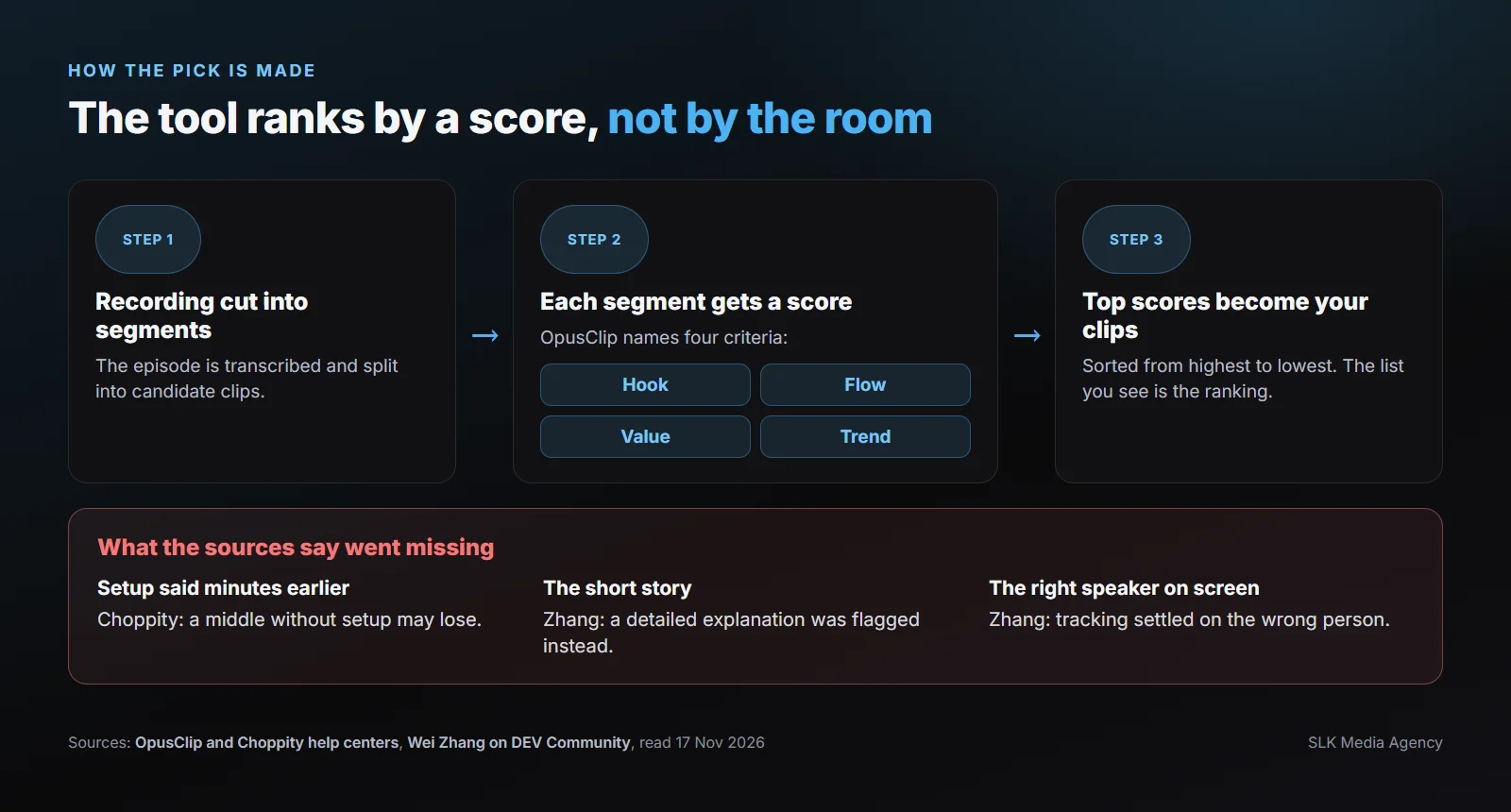
An AI clipping tool is an AI video editing tool with one job: find the moments. It cuts the recording into candidate segments and gives each one a score. The clips you see are the segments with the highest scores. The transcript matters in this. Riverside creates Magic Clips for content "longer than 3 minutes with a transcript", and Choppity says poor audio "hurts transcript confidence".
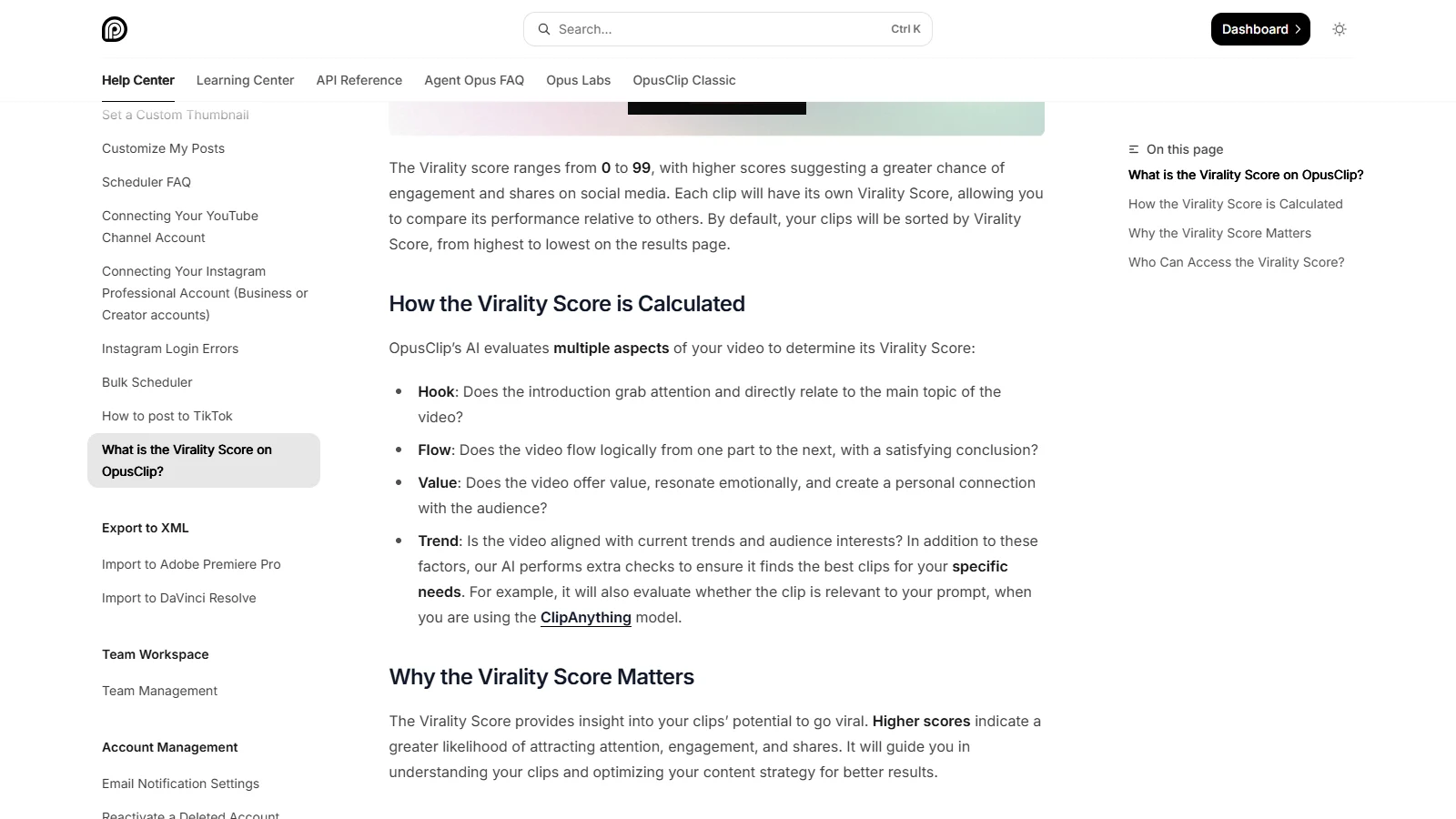
OpusClip describes its score in its help center. The AI "assigns Virality Scores based on how likely each clip is to go viral", on a scale from 0 to 99. It lists four things the score looks at:
- Hook: "Does the introduction grab attention and directly relate to the main topic of the video?"
- Flow: "Does the video flow logically from one part to the next, with a satisfying conclusion?"
- Value: "Does the video offer value, resonate emotionally, and create a personal connection with the audience?"
- Trend: "Is the video aligned with current trends and audience interests?"
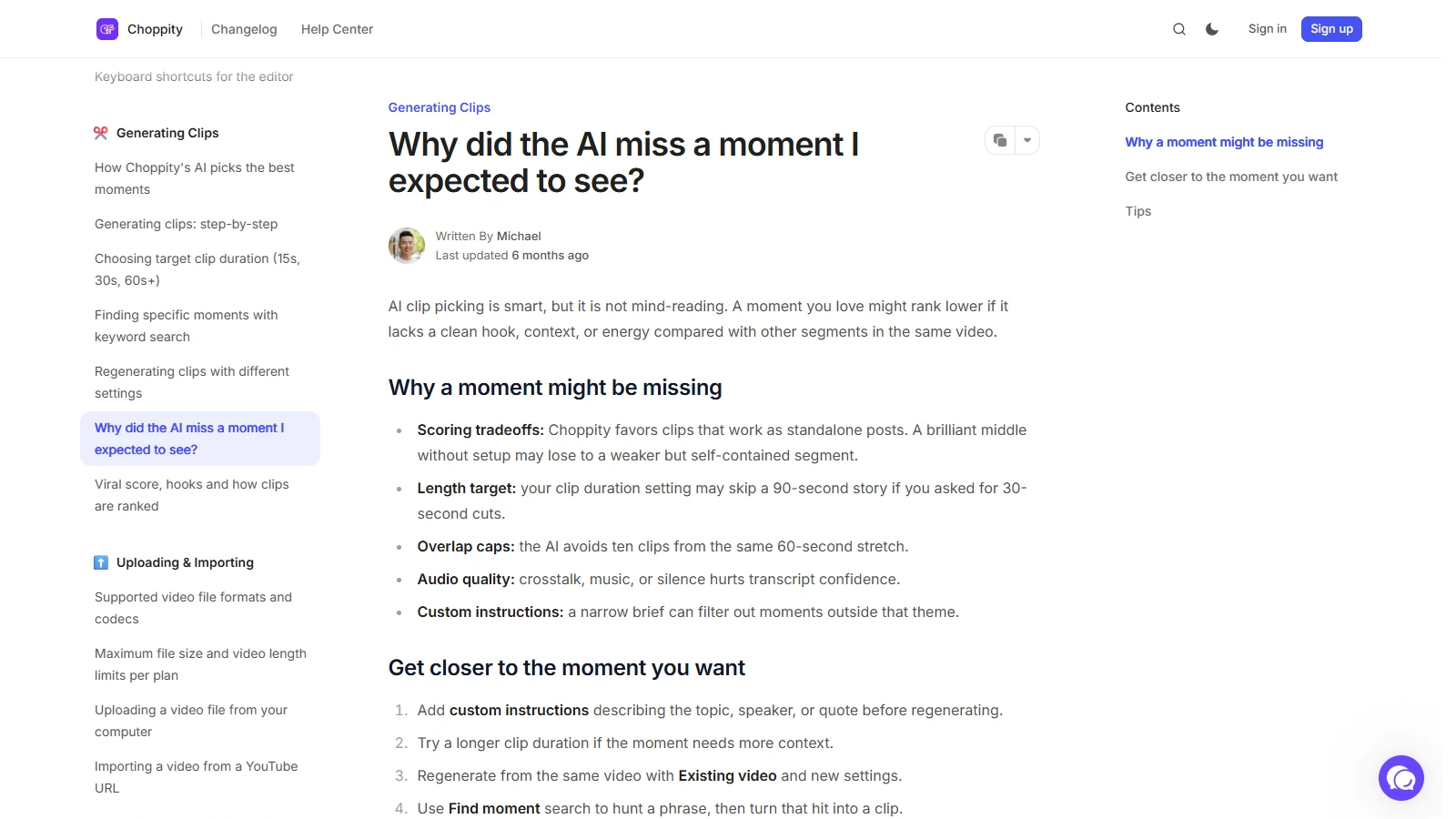
Those are sensible questions. Look at what they favor, though. Hook and Flow reward a segment that opens strongly and ends neatly. A story whose payoff depends on something said minutes earlier has no hook of its own. Choppity says this about its own tool: "A brilliant middle without setup may lose to a weaker but self-contained segment."
One editor put it plainly. Wei Zhang wrote up a client job on DEV Community on 26 March 2026, turning a two-hour podcast into 20 short clips: "AI is excellent at identifying what was said but terrible at judging what will perform". In that job the AI flagged "a detailed technical explanation about microphone placement" as a high-engagement moment "because it had lots of specific information". It missed "a 30-second story about a guest's worst interview experience". Zhang does not name the AI that made those picks.
What do the AI video tools say about their own scores?
We read the help pages of three AI video tools that podcasters use to generate clips: OpusClip, Riverside and Choppity. Riverside says results may vary, and Choppity says its score is not a guarantee of views. Here is what each page says, quoted.
| Tool | How clips are scored | What the page says about limits |
|---|---|---|
| OpusClip | Virality Score from 0 to 99, built on Hook, Flow, Value and Trend. Shown on Pro and Starter plans. | The page lists no limits. It says higher scores suggest "a greater chance of engagement and shares on social media". |
| Riverside Magic Clips | "a score between 99 and 70, where 99 represents the strongest clip and 70 the least strong" | "Magic Clips are experimental and results may vary." The score compares a clip "to others in the same batch". |
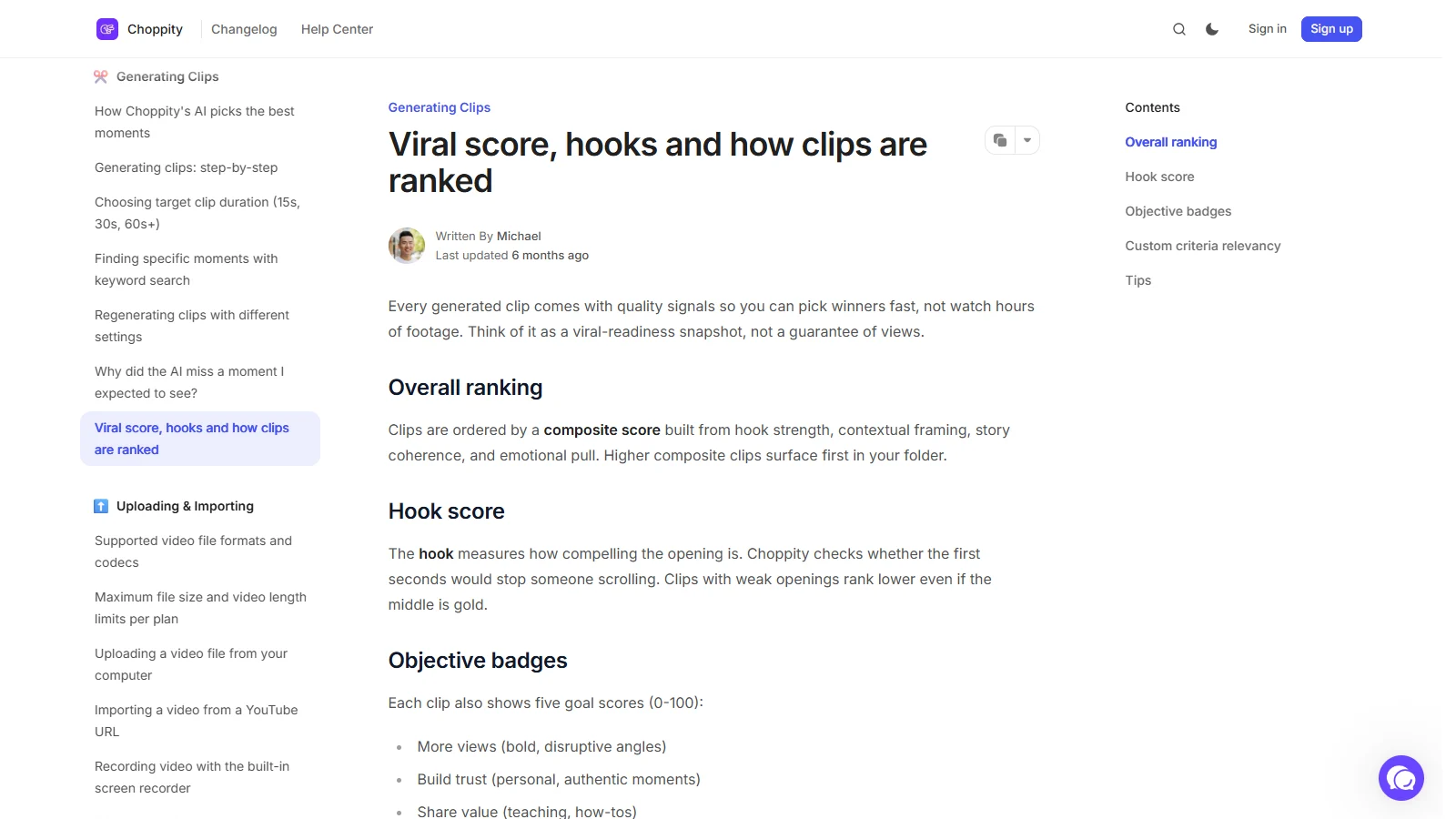
| Choppity | "a composite score built from hook strength, contextual framing, story coherence, and emotional pull" | "Think of it as a viral-readiness snapshot, not a guarantee of views." And: "AI clip picking is smart, but it is not mind-reading." |
Sources: OpusClip help center, "What is the Virality Score on OpusClip?"; Riverside Help Center, "About Magic Clips" (updated 12 November 2026); Choppity help center, "Viral score, hooks and how clips are ranked" and "Why did the AI miss a moment I expected to see?". All read 17 November 2026.
Read the Riverside line again. The score compares each clip with the others from the same recording. Read that way, a 99 means the best clip this episode produced. It does not mean the clip is good.
What goes wrong in an AI video clip, and how do you fix each mistake?
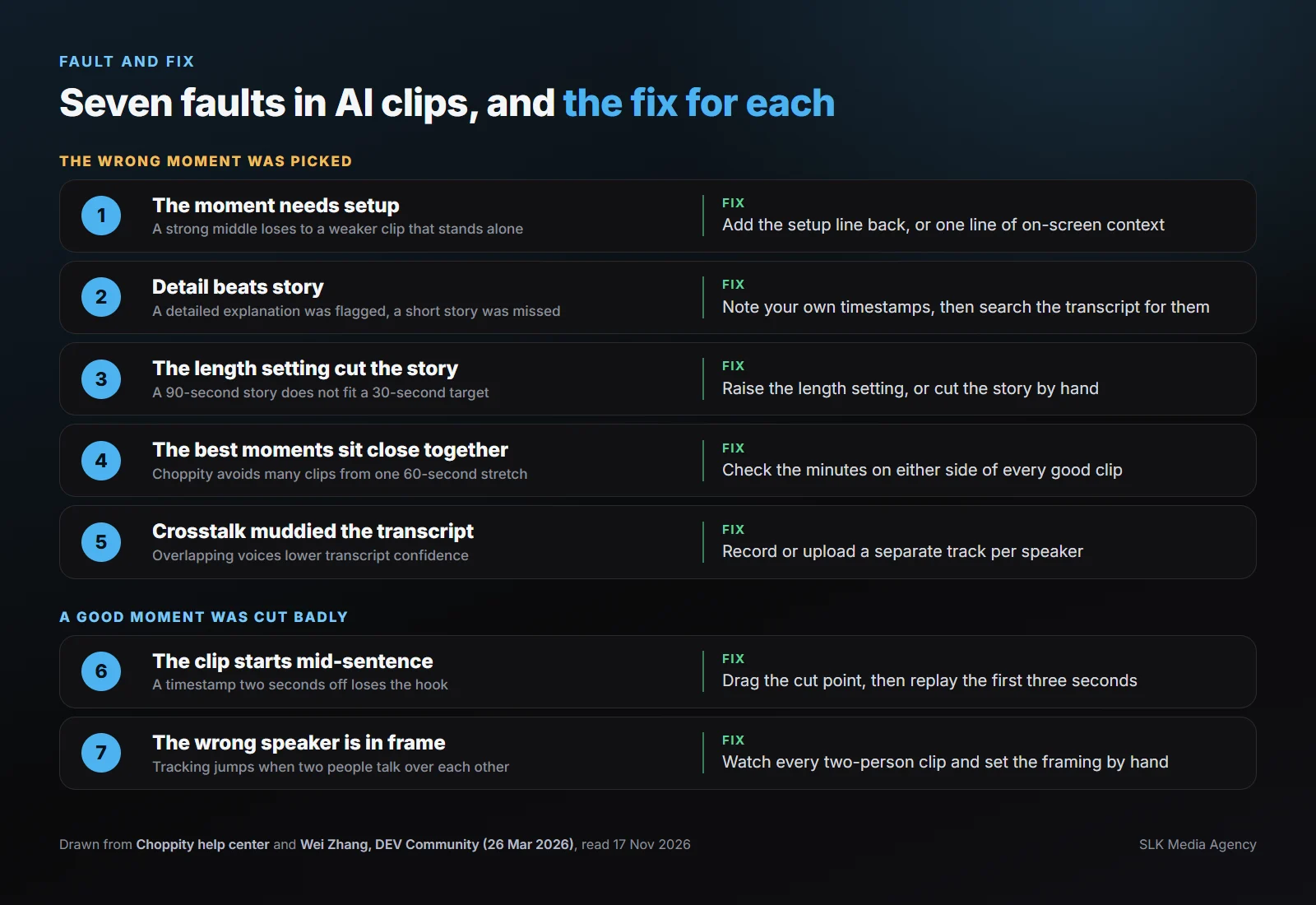
These are the AI video editing mistakes to avoid posting. The sources above describe seven faults between them. Five are about the wrong moment being picked. Two are about a good moment being cut badly. Each has its own fix, and none of the fixes is "generate again and hope".
1. The moment needs setup
Choppity's help page says its AI "favors clips that work as standalone posts". In Zhang's job, 10 of the 30 suggested moments "had zero standalone value".
Fix: find the line that sets the moment up and add it back. In Riverside's editor, the text around a Magic Clip is shown struck through. You select it and choose Restore. If the setup is minutes away, write one line of on-screen text that gives the context instead.
2. Detail beats story
This is the microphone placement problem from Zhang's job. A detailed explanation was flagged. A short story was missed.
Fix: do not start from the tool's list. Note two or three timestamps while you record or while you listen back, the moments where the room reacted. Then search for those lines. Choppity calls this "Find moment" search. In other tools, search the transcript for a phrase you remember and cut from there.
3. The length setting cut the story
Choppity again: "your clip duration setting may skip a 90-second story if you asked for 30-second cuts." Riverside says its clips are "generally 30 to 90 seconds long".
Fix: raise the length setting and generate again, or cut the story by hand and trim the slow middle yourself.
4. The best moments sit close together
If two strong moments sit close together, you may get only one of them. Choppity's page says "the AI avoids ten clips from the same 60-second stretch".
Fix: when one clip from a stretch is good, open the full recording at that point and look at the minutes on either side yourself.
5. Crosstalk muddied the transcript
When two people talk over each other, the transcript at that point gets worse. Choppity lists it as a cause of missed moments: "crosstalk, music, or silence hurts transcript confidence."
Fix: record each speaker on a separate track if your setup allows it. Choppity's own tip is to "upload an isolated speaker track when possible".
6. The clip starts or ends mid-sentence
Zhang found "a clip that started mid-sentence because the AI timestamp was off by two seconds". Two seconds is enough to lose the first word of the hook.
Fix: move the cut point. Riverside's help page describes it: where the selected and unselected parts of the timeline meet, "click and drag the boundary left or right". Then play the first three seconds with the sound on before you export.
7. The wrong speaker is in frame
Zhang reframed the clips for vertical with an AI editor. In the two-person clips, "the tracking would jump between them or settle on the wrong person entirely". Zhang fixed the framing by hand on about 6 of the 20 clips. The rule Zhang took from that job: "Plan on manual fixes for 25-30% of your clips if your source has multiple speakers."
Fix: watch every two-person clip from start to finish. Set the speaker by hand where the tool allows it, or use a split layout that keeps both people on screen.
Does AI clipping actually work?
For speed, yes. In the same write-up, transcribing the episode and picking the moments took "40 minutes (AI-assisted) vs ~3.5 hours (fully manual)". About 20 of the 30 suggestions "were fine". That is a real saving.
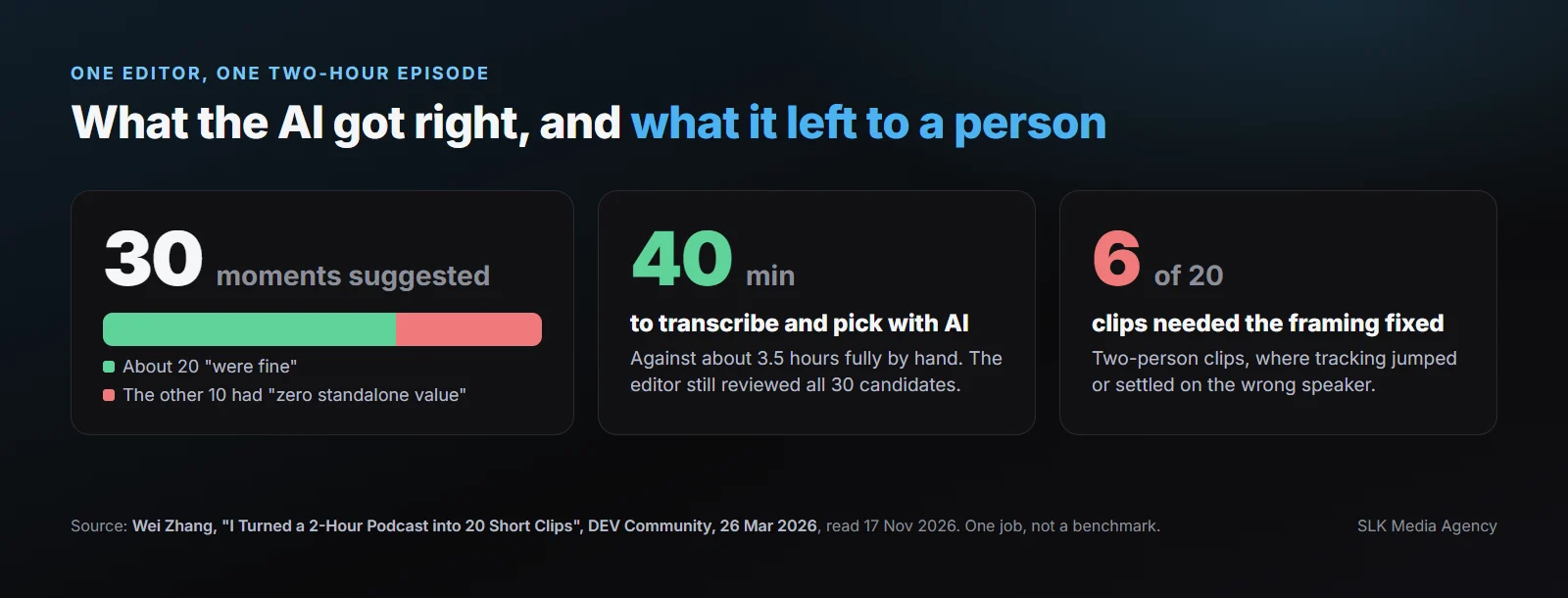
What it did not do is make the final call. Zhang reviewed all 30 candidates and made the final picks by hand. Later, Zhang watched every finished clip and "caught problems in almost a third of them". The conclusion in the write-up: "AI cannot do your final QA pass."
Keep the size of this evidence in mind. It is one person's account of one episode, not a study. We did not find an independent test across many shows, and the vendor pages we read do not include one. Your own numbers may be better or worse. Count them for one episode and you will know.
How do you check an AI video clip in two minutes?
You do not need to rewatch the entire video or re-edit everything the tool makes. You need a fast way to sort each clip into keep, fix or bin. Play it once with the sound on and ask four questions.
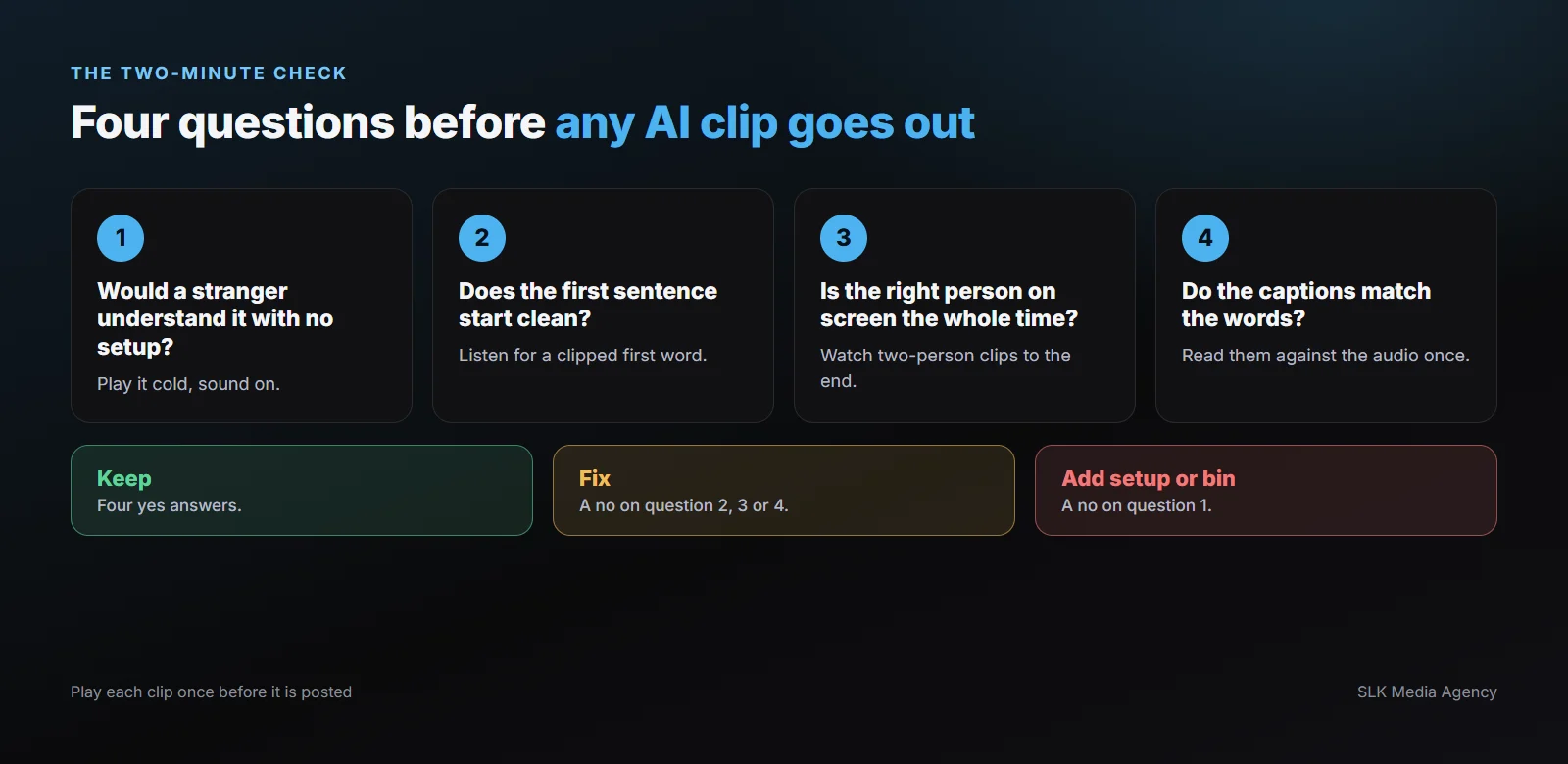
- Would a stranger understand it with no setup? If not, add the setup line or bin the clip.
- Does the first sentence start clean? If the first word is clipped, move the cut point.
- Is the right person on screen the whole time? If not, fix the framing. Check the visual details too. Zhang found "a lower-third that covered the guest's face in one shot".
- Do the captions match the words? Zhang's example was a subtitle that said "their" instead of "there". Fix it in the caption editor.
Four yes answers: keep. A no on two, three or four: fix it. A no on the first question is the expensive one. If you cannot add the setup in one line, bin the clip and go find the moment you wanted.
Can a better prompt make the AI pick better moments?
It can help, within limits. All three tools let you steer the pick before they generate.
- Riverside: Pro and Business users can generate extra Magic Clips and set "duration, speaker focus, and keywords" for each.
- Choppity: its first suggestion for a missed moment reads: "Add custom instructions describing the topic, speaker, or quote before regenerating."
- OpusClip: with its ClipAnything model, the AI "will also evaluate whether the clip is relevant to your prompt".
A prompt has a cost too. Choppity warns that "a narrow brief can filter out moments outside that theme". If you tell the tool to find pricing advice, it will skip the funny story. Use a prompt when you already know what you are looking for. Do not use one to discover what was good.
Where should you use AI in a clip workflow?
Use AI for the parts that are slow and mechanical. Zhang's write-up shows the split. A transcript now takes "about 45 seconds" and is "maybe 95% accurate". Automatic reframing for vertical video "worked well for single-speaker segments". Those are jobs to hand to the tool. AI can speed up that part of the editing process without hurting the result.
Keep a person on the two calls the score cannot make: which moment goes out, and whether the finished clip is right. A workable order looks like this. Upload the episode. Let the tool generate the transcript, the candidates and the captions. Pick by hand. Fix each pick in the editor. Then post to TikTok, Instagram Reels or YouTube Shorts.
Used this way, the AI output is a first draft. It still needs human review before a single clip goes out, and the creator decides what the show is seen for.
Do you need an OpusClip alternative?
Maybe, but not for this problem. Video editing tools differ on price, caption styles, templates, layouts and how well they handle two speakers, and those are fair reasons to switch. The wrong-moment problem is not one of them. Every tool in the table above ranks clips with a score. Riverside says results may vary, and Choppity says its score is not a guarantee of views.
If you switch tools and keep posting whatever scores highest, you will get the same result with different captions. The review pass moves with you. Fix the workflow first. Then compare tools on what is left.
Is an AI clip the same as an AI-generated video?
No, and the difference matters. Much of what is written about bad AI video is about AI-generated videos, where a generative AI model such as Sora or Veo invents the pictures. Articles on why AI videos look wrong, with uncanny faces or characters that change between shots, are about AI video generation. People call the worst of it AI slop. An AI clip is different. The footage is your real recording. The AI only chose where to cut, how to frame it and what the captions say.
That is why the fix here is human input, not better video generation. Nothing in the clip is fake. The pick is simply unreviewed. A creator who posts thirty unreviewed clips a week from one template can still look mass-produced, and YouTube has a rule about that. We covered it in Does YouTube monetize podcast clips?
Tool descriptions in this article are quoted from each company's help pages as read on 17 November 2026. Features and plan names change, so check the linked page before you rely on one. The time and clip counts come from one editor's published account of one job and are not a benchmark.
Frequently asked questions
Why do AI clipping tools pick the wrong moments?
They rank segments by a score. OpusClip lists Hook, Flow, Value and Trend as what its score looks at. Choppity says its AI favors clips that work as standalone posts, so a strong middle without setup may lose to a weaker segment that stands alone.
Does AI clipping actually work?
It saves time on finding candidates. In one editor's published account of a two-hour episode, the AI suggested 30 moments, about 20 were fine, and transcription plus picking took 40 minutes instead of about 3.5 hours. The editor still made the final picks and found problems in almost a third of the finished clips. That is one job, not a study.
What does the OpusClip Virality Score measure?
OpusClip's help center says the score runs from 0 to 99 and looks at Hook, Flow, Value and Trend. It says higher scores suggest a greater chance of engagement and shares on social media. The score is shown on Pro and Starter plans.
What does a score of 99 mean on a Riverside Magic Clip?
Riverside ranks each clip between 99 and 70 and says the score reflects how engaging or relevant the clip is compared with others in the same batch. So 99 marks the strongest clip from that recording, not a promise that the clip will perform.
How do I fix an AI clip that starts mid-sentence?
Move the cut point by hand. In Riverside's editor you drag the boundary between the selected and unselected parts of the timeline, or restore struck-through text in the transcript. Then play the first three seconds with the sound on before you export.
Will a better prompt make the AI pick better clips?
It can, when you already know what you want. Riverside lets Pro and Business users set duration, speaker focus and keywords, and Choppity suggests custom instructions. Choppity also warns that a narrow brief can filter out moments outside that theme.
Is an AI clip the same as an AI-generated video?
No. An AI-generated video is made by a model that invents the pictures. An AI clip is cut from your real recording. The AI only chose where to cut, how to frame it and what the captions say, which is why a human review fixes most of the problems.
Sources
- OpusClip Help Center: What is the Virality Score on OpusClip?. Score range, the Hook, Flow, Value and Trend criteria, ClipAnything prompt relevance and plan access. The page shows no date. Read on 17 November 2026
- Riverside Help Center: About Magic Clips. Magic Clips scoring (99 to 70, same batch), the experimental note, clip length and the duration, speaker focus and keywords settings. Updated 12 November 2026. Read on 17 November 2026
- Riverside Help Center: How can I adjust what the Magic Clip includes?. Restoring struck-through transcript text and dragging the timeline boundary. Read on 17 November 2026
- Choppity help center: Why did the AI miss a moment I expected to see?. Scoring tradeoffs, length target, overlap caps, audio quality and custom instructions. The page says last updated 6 months ago. Read on 17 November 2026
- Choppity help center: Viral score, hooks and how clips are ranked. Composite score and the line that it is not a guarantee of views. The page says last updated 6 months ago. Read on 17 November 2026
- Wei Zhang on DEV Community: I Turned a 2-Hour Podcast into 20 Short Clips. Published 26 March 2026. One editor's account of one client job: 30 suggestions, about 20 fine, framing fixed on about 6 of 20 clips, 40 minutes against about 3.5 hours. Read on 17 November 2026

Rachel Davis works on the growth team at SLK Media Agency, where the team edits, captions and posts short clips from podcast episodes every week. She writes about turning a podcast into revenue: sponsors, offers and pricing.